


Run it yourself
Your server, at no charge.
Clone the repository, connect Slack and Cloudinary, and keep the archive on infrastructure you control. You only pay for the server and the file storage you run.
An open-source bot that copies your Slack channels, with every thread, reaction and file, to your own server and storage. Read and search all of it, forever, in an app that feels just like Slack.
Kickoff notes from the Harbor call are in Harbor kickoff notes. Main ask: ship the dashboard before their Q3 board meeting.
Harbor signed off on the final pricing  $48 per seat, locked through 2027. The signed contract is attached. This is the one we point to if it ever comes up again.
 3
Harbor is asking what pricing we agreed on at kickoff. Does anyone still have the contract? 
This conversation is hidden
After 90 days, messages and files are hidden. After a year, Slack deletes them for good. The decision, the contract, the link you meant to find later: gone.
Harbor signed off on the final pricing $48 per seat…
Harbor signed off on the final pricing $48 per seat…
Slack Pro brings your history back for $8.75 per person, per month. For a team of , that's $1,575 a year. Keeprithm is free.
Slack Pro list price, billed monthly, as of November 2026. See slack.com/pricing
Three steps and about ten minutes. After that, you can forget it's there.
Mina Haddad
Harbor is asking what pricing we agreed on at kickoff. Does anyone still have the contract?
Sara Okafor
Harbor signed off on the final pricing $48 per seat, locked through 2027. The signed contract is attached. This is the one we point to if it ever comes up again.
34 replies
Sara Okafor
Harbor signed off on the final pricing $48 per seat, locked through 2027. The signed contract is attached. This is the one we point to if it ever comes up again.
3Theo Park
Saving this forever. Do we invoice annually or monthly?
Sara Okafor
Annually, every January. Section 4.2 in the PDF.
Mina Haddad
Added it to the finance tracker 
Leo Brandt
Pinning this. Thanks Sara.
Threads, reactions, code, images, PDFs, voice notes and video. Keeprithm shows them the way Slack did, so nobody has to learn a new app.
Kickoff notes from the Harbor call are in Harbor kickoff notes. Main ask: ship the dashboard before their Q3 board meeting.
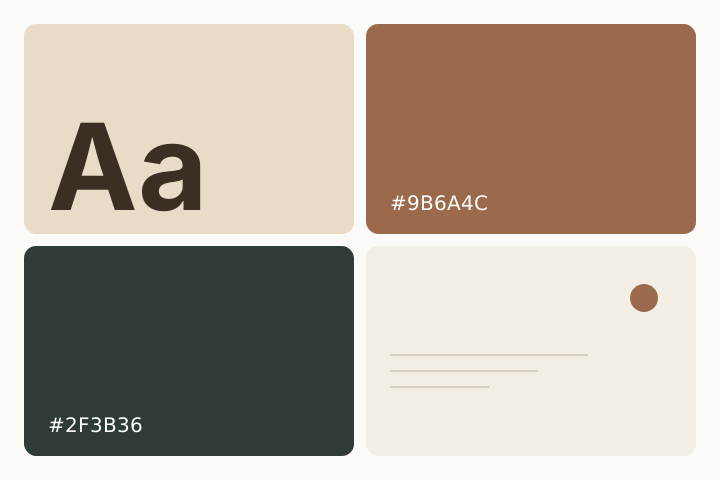
Moodboard for the dashboard. Leaning warm and quiet.
Harbor signed off on the final pricing $48 per seat, locked through 2027. The signed contract is attached. This is the one we point to if it ever comes up again.
3Harbor is asking what pricing we agreed on at kickoff. Does anyone still have the contract?
Search every channel you can see. Pick a result and Keeprithm takes you to the exact message, highlighted, with the conversation around it.
Kickoff notes from the Harbor call are in Harbor kickoff notes. Main ask: ship the dashboard before their Q3 board meeting.
Moodboard for the dashboard. Leaning warm and quiet.
Harbor signed off on the final pricing $48 per seat, locked through 2027. The signed contract is attached. This is the one we point to if it ever comes up again.
3Harbor is asking what pricing we agreed on at kickoff. Does anyone still have the contract?
Try
Keeprithm runs on infrastructure you control. Messages travel from Slack's API straight to your database, where they're encrypted at rest, and files go to a storage account you own.
Your Slack
minimal access
Keeprithm server
scheduled backups
MongoDB Encrypted
envelope encryption at rest
Reader app
Sign in with Slack
Cloudinary
Files up to 50 MB
Your team
sees only their channels
Slack API
minimal access
Keeprithm server
scheduled backups
Cloudinary
files up to 50 MB
MongoDB
encrypted at rest
Reader app
Sign in with Slack
Your team
their channels
Blockrithms has no connection to any of this.
On a VPS, deploy.sh starts the containers. For local work, or a host without Docker for the app, use Yarn. You need a Slack workspace you own and a Cloudinary account for files.
Paste slack-manifest.json into api.slack.com/apps. It sets the permissions for you.
Copy your Slack and Cloudinary credentials into the env files. On a VPS that is the root .env plus server/.env.production and client/.env.production.
On a VPS, run ./deploy.sh. It builds and starts the server, the reader, and MongoDB in the background.
Point nginx (with TLS) at the published ports so the dashboard is reachable. Open the reader, click Add to Slack, then type /invite @keeprithm in each channel you want kept.
$
Keeprithm is free under the MIT license. Use it on your own server, or let Blockrithms host it for you.
Run it yourself
Clone the repository, connect Slack and Cloudinary, and keep the archive on infrastructure you control. You only pay for the server and the file storage you run.
Hosted by Blockrithms
If you would rather not operate Keeprithm, we can host it. A hosted workspace includes:
No. Slack's API only returns what your workspace can still see, which on the free plan is the last 90 days. Keeprithm copies all of that on its first run, then everything after it. The sooner you install it, the more you keep.
Yes. Keeprithm is open source under MIT. You only pay for the server it runs on and your file storage. There are no per-seat fees.
Messages, thread replies, reactions, mentions and edits from every channel the bot is in, public or private. Files up to 50 MB each are copied too, including images, PDFs, documents, audio and video.
No. Keeprithm archives the channels you invite it to. Direct messages and group DMs aren't copied.
On any schedule you set, from hourly to monthly. Each run only fetches messages that arrived since the last one, then posts a summary in Slack. You can also start a backup from the dashboard at any time.
Only people in your Slack workspace. They sign in with Slack and see the archived channels they're members of. The server, database and files stay in accounts you control.
Yes. Messages are stored with envelope encryption: each is protected by a data key, and the data keys are protected by a master key that only you hold. Someone with a copy of the database can't read the messages without it.
No. Keeprithm is built for free workspaces. The workspace's primary owner installs it, once.
No. Keeprithm has no connection to Blockrithms. Your data only moves between Slack and infrastructure you run.
On Slack's free plan, today's messages disappear on
day 90.
Keeprithm can only save what Slack still shows. Install it before then.